# Overview of Payloads Feature
The payloads feature in BountyHub is designed to streamline the process of using and managing payloads during security testing. It allows users to create, organize, and customize payloads with ease, enhancing efficiency and effectiveness in identifying vulnerabilities.
The philosophy is simple. Payloads are mostly the same, where strict parts are only customized on target-based needs. Therefore, having a set of reusable payloads with dynamic variables that can be easily modified is crucial.
# Key Features
- Payload Groups: Users can create and manage groups of payloads, allowing for better organization and categorization based on testing needs.
- Dynamic Variables: Payloads can include variables that can be easily replaced with target-specific values, enabling quick customization without manual edits.
- Easy Copying: With a single click, users can replace variables in payloads and copy them to the clipboard for immediate use.
- User-Friendly Interface: The payloads feature is integrated into the BountyHub platform with an intuitive interface, making it accessible for both beginners and experienced security researchers.
# How It Works
Payloads are organized into groups, each containing a set of payloads and associated variables. When a user selects a payload, they can modify the values of the variables as needed. Once the desired values are set, the user can click the "Replace variables and copy" button to generate the final payload with the customized values. This payload is then copied to the clipboard, ready for use in testing. As simple as that!
# Example Usage
Payloads are grouped for better organization. When a user creates a payload group, they can open it to view and manage the payloads and variables within.
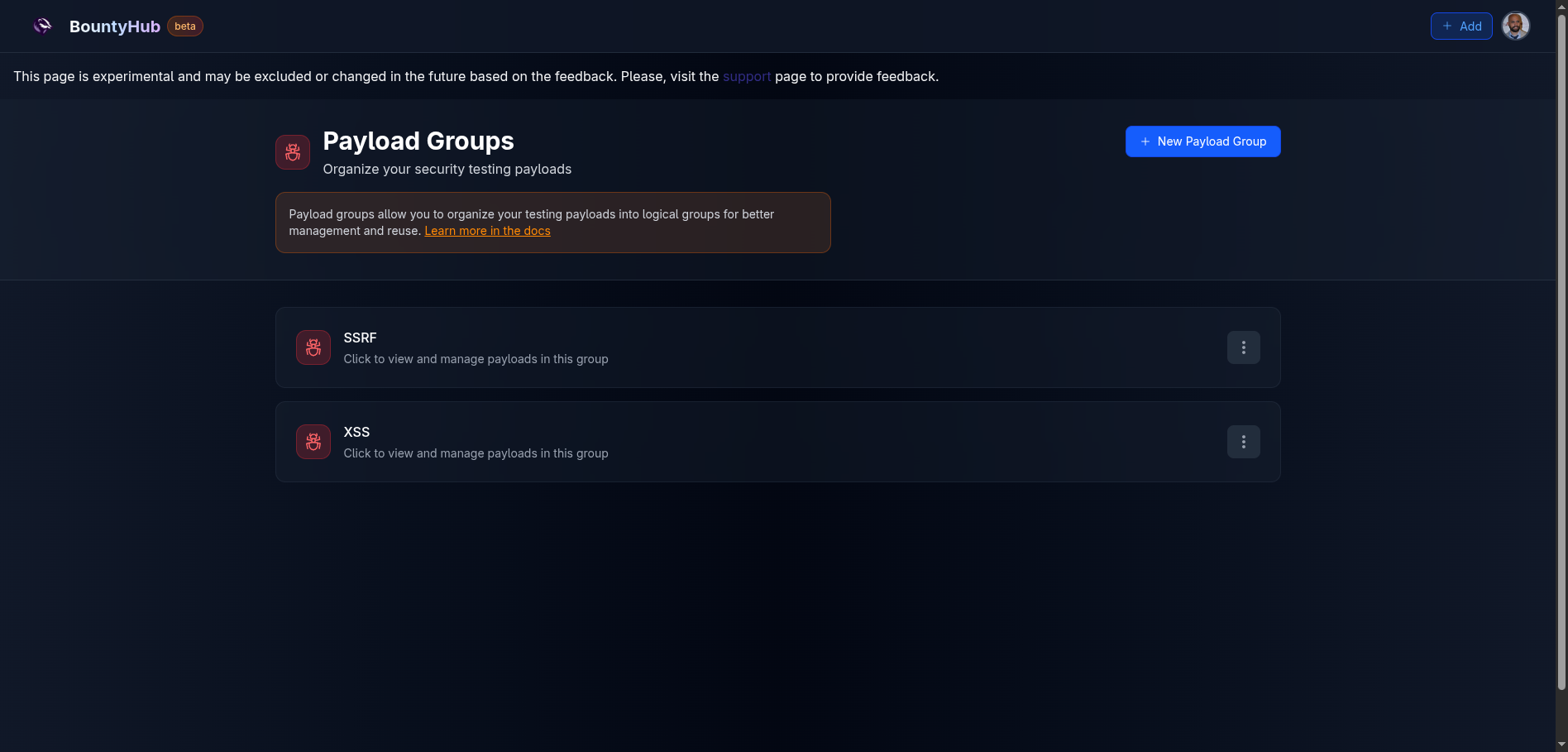
When a user opens a payload group, they see two main sections:
- Variables
- Payloads
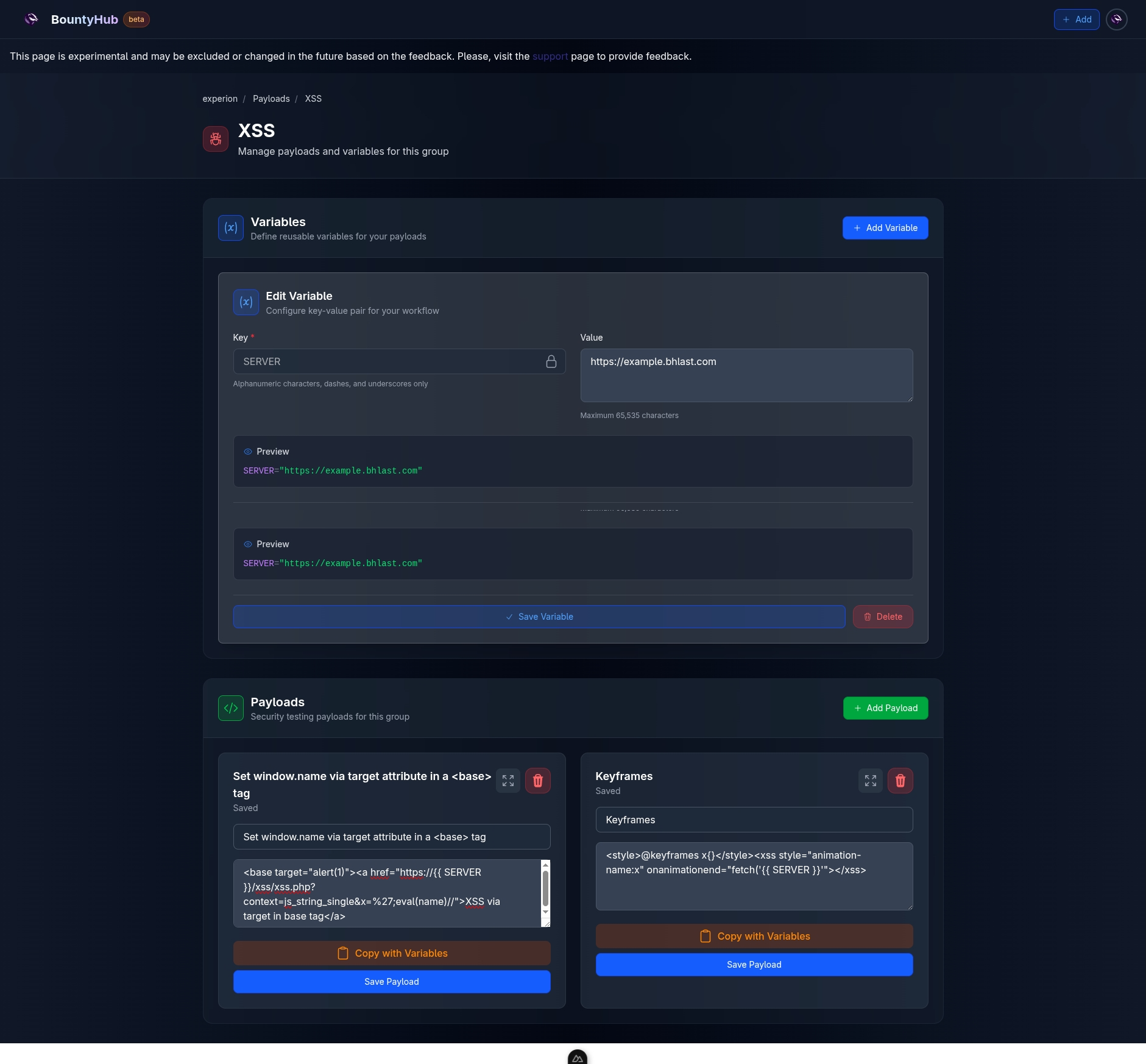
The user can modify the values of the variables as needed. If they want to temporarily change a variable's value without saving it, they can do so. The value in the Value field will be used, but once the page is refreshed, the persisted value will be restored.
You don't need to save the variable value to use it temporarily. Just change the value and use the payload. Once you refresh, the original value will be back.
Currently Reading
Payloads overview