# Overview of Bhlast Servers
Bhlast servers basically Burp Collaborator servers on steroids. It is heavily inspired by the interactsh, the tool provided by ProjectDiscovery.
However, bhlast servers are designed to be integrated with the BountyHub platform, and provide a seamless experience for bug bounty hunters and security researchers.
# Key Features
- Multi-Protocol Support: Bhlast servers support multiple protocols, including HTTP, HTTPS, and DNS, allowing users to track a wide range of interactions.
- Integration with BountyHub: Bhlast servers are tightly integrated with the BountyHub platform, allowing users to easily manage and track their interactions.
- Scalability: Bhlast servers are designed to handle a large number of interactions, making them suitable for large-scale bug bounty programs.
- Customizable: Users can customize the behavior of bhlast servers to suit their specific needs. This includes setting up custom subdomains, configuring DNS responses, etc.
- Security: Bhlast servers are built with security in mind, ensuring that user data is protected and interactions are logged securely.
- Ease of Use: The setup and configuration of bhlast servers with a single click.
- Free to Use: You can use the bhlast servers in a free tier. For more information, check the pricing page.
Let's dive deeper into every single feature.
# How it Works
BountyHub platform provides a domain bhlast.com that is used to serve Bhlast servers.
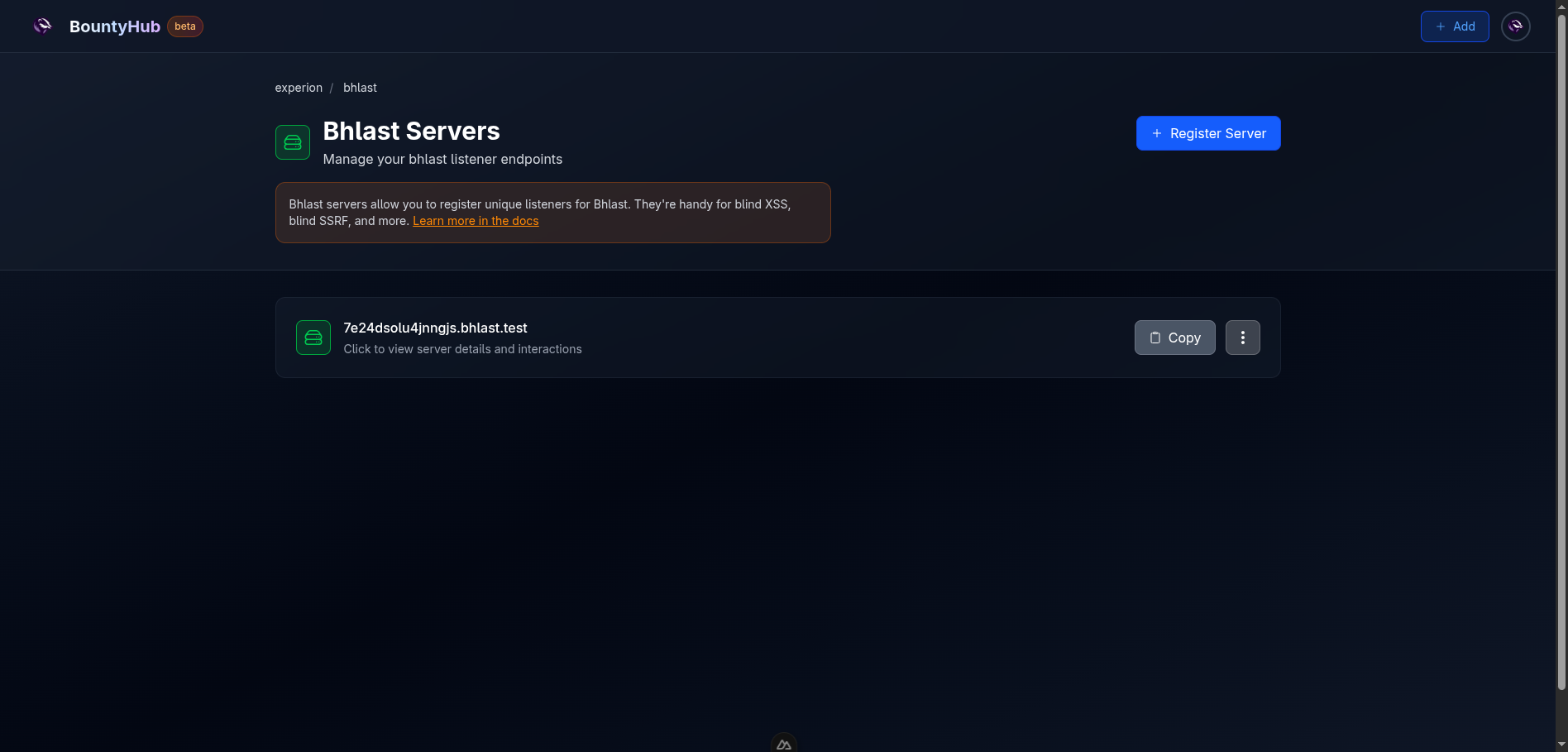
Every server is registered as a unique subdomain under the bhlast.com domain.
Therefore, you can provision your own server with a single click of a button,
either on the home page, or on your own Bhlast
servers page located at /u/<your-handle>/-/bhlast.
After provisioning the server, you will get a random 16 character subdomain that is unique to your account. Please do not share this subdomain publically, as every interaction with this server will be tracked, and you will get notified for no good reason.
After clicking on your server, you can see multiple sections:
- Logs: This section shows all interactions with your server.
- Directory Server: Allows you to upload files that will be served statically when visiting your server over HTTP/HTTPS. Uploaded files can be used in blind attacks, such as XSS, SSRF, XXE, etc.
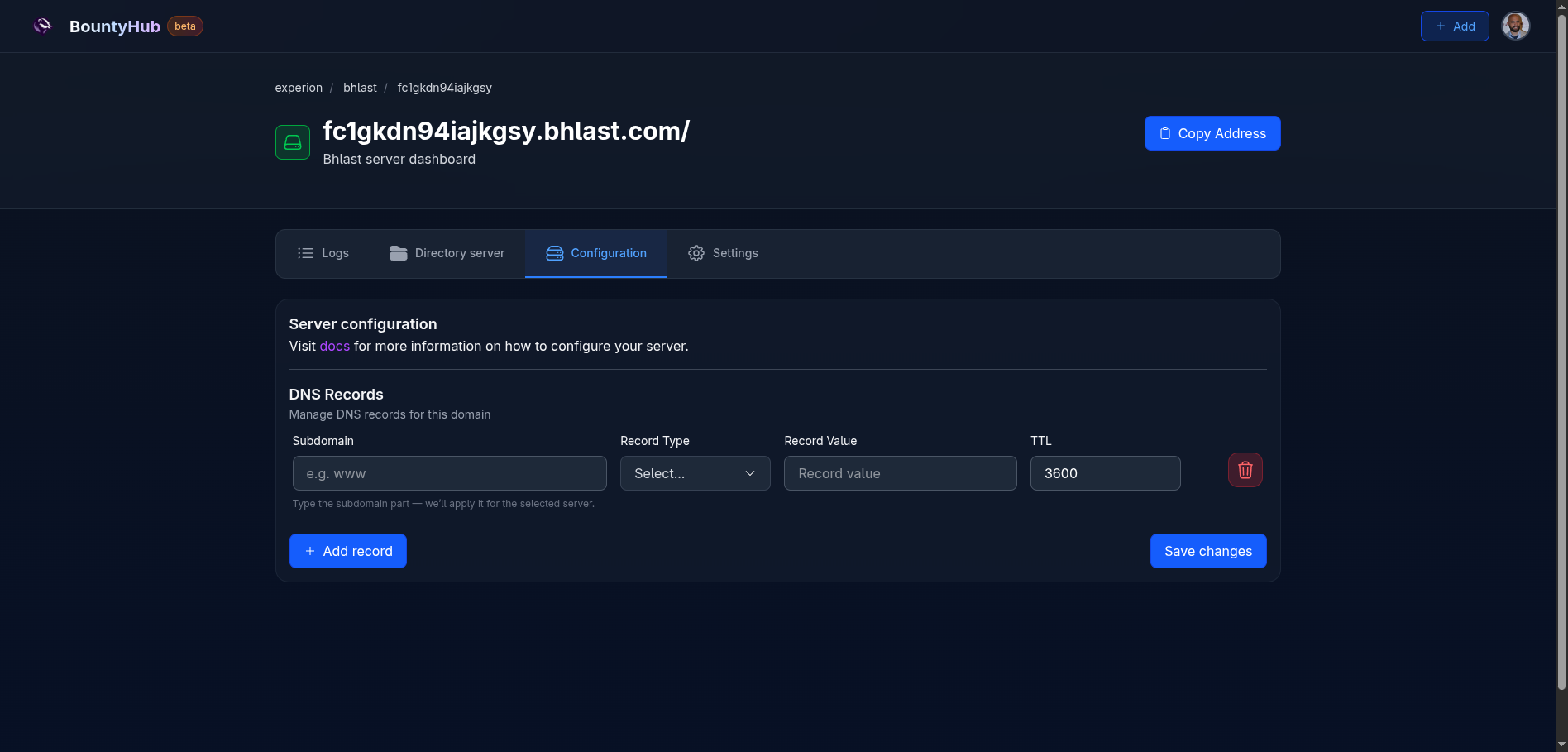
- Configuration: This section allows you to configure custom DNS records for
your server. Each DNS record is associated with the subdomain of your
subdomain. For now, it doesn't support
@records, but it might be added soon. - Settings: This section allows you to configure notification settings for your server. You can configure email notifications, Slack notifications, and Discord webhook notifications.
As you can see, the Bhlast server provides a powerful way to track interactions and manage your bug bounty hunting activities.
Once the server is removed, in theory, it can be claimed by other user.
The subdomain is assigned randomly at the time of provisioning, so the chances of
collision are extremely low (probability of collision is
0.0000000000000000000000000126 😁).
# Protocols Supported
Server is listening on following ports:
- 80 TCP: HTTP traffic
- 443 TCP: HTTPS traffic
- 53 TCP/UDP: DNS traffic
# HTTP/HTTPS
When you visit the bhlast.com, static page will be displayed. This static page is only used to point you to the documentation, and to show basic information about this server.
However, if you visit your own subdomain, the traffic gets recorded, and you can see the request and the response in the logs.
# Response format
By default, subdomain reversed will be served as a string. In the example from
the image, the domain fc1gkdn94iajkgsy.bhlast.com returns:
Here is an example of interaction table produced from running curl against the server. You can see the DNS resolution, followed by the HTTP request and response:
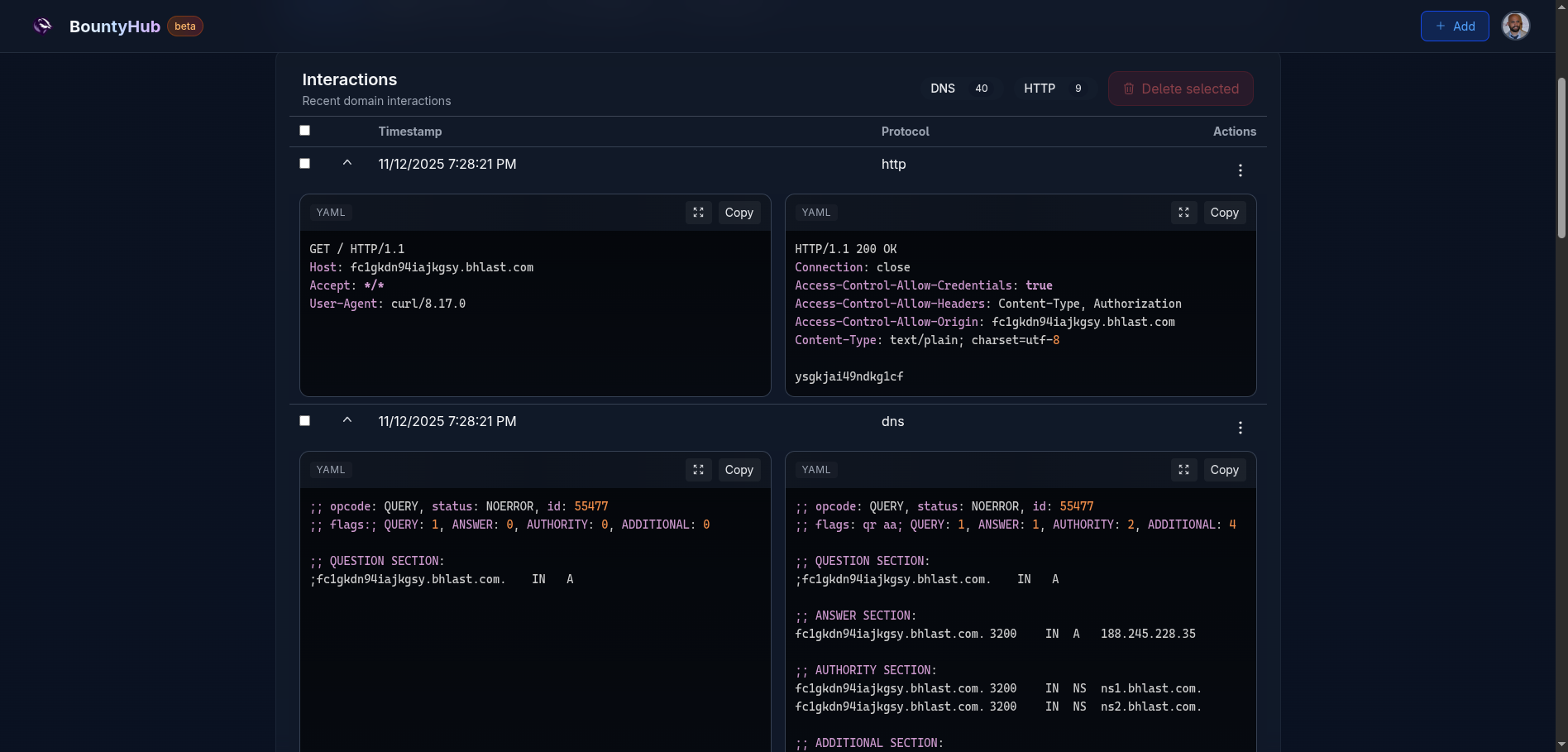
Here is the table describing the response format:
| Path | Response format |
|---|---|
Path ending with .xml | The result will be in format <data>[reverse subdomain string]</data> |
Path ending with .json | The result will be in format {"data": "[reverse subdomain string]"} |
/robots.txt | User-agent: *\nDisallow: / # [reverse subdomain string] |
| Any other path | Reverse subdomain string |
# File server
For file server, paths are separated using /-/. This might change in the
future, but the /-/ separator was used to clearly indicate what you are trying
to access, while keeping the subdomain intact. In the future, I'm thinking of
adding custom route responses which might be used exploiting the target. Then,
it would be easy to spot which traffic was used to potentially serve a file vs
traffic that attempts to serve custom responses. I am still uncertain of this
approach. However, you can always reach out on the
discord server to provide your feedback.
# DNS
The DNS server is created not only to track DNS interactions, but also to provide a configurable way you can use to serve CUSTOM DNS records.
Currently, you can register A, AAAA, and TXT records. More record types
might be added in the future.
# Notifications
Notifications are important part of the Bhlast servers. Often, second order attacks occur after some time, and you want to be notified as soon as possible.
Since your Bhlast server is always live, the interaction will be tracked down, but to reduce the chance of missing the interaction, notifications are sent as soon as the interaction is recorded.
Notifications are top-level feature of the BountyHub platform. What that means is that they are registered on your profile, and then assigned to specific features, such as Bhlast servers.
Read more about notifications on the Notifications Overview page.
# Rate limiting
To avoid misuse or malicious use of bhlast servers, the rate limiter is implemented.
| Server type | Global rate limit / s | Per IP rate limit / s |
|---|---|---|
| DNS | 5000 | 10 |
| HTTP(s) | 5000 | 20 |
Furthermore, if the number of questions in a DNS query exceeds 8, the DNS request will be rejected completely. This should reduce DNS amplification attacks.
# Next Steps
Now that you have an overview of Bhlast servers, you can proceed to:
- Notifications Overview: Read more about notifications system used on the platform.
Currently Reading
Bhlast servers overview